

Findings, triage and remediation
Every scan, pull request review and import feeds one register per asset (a repository, an image or a verified domain). The register keeps the current state of each finding, decides on its own what was fixed and what came back, and records what your team decided about each one (triage: confirm it, dismiss it as a false positive, accept the risk, mark it fixed). This page explains how to read the results, how to work through them and how to export them. Terms such as fingerprint, triage, KEV or SARIF are explained in the glossary.
Prerequisites
Section titled “Prerequisites”- At least one finished scan: of code (Scan your code), of an image (Scan container images) or of a site (Scan a website or API), or a SARIF import from another tool (Integrations).
- Any user can read findings and triage them. Accepting a risk, excluded paths, deadlines and re-verifying a web finding are for administrators.
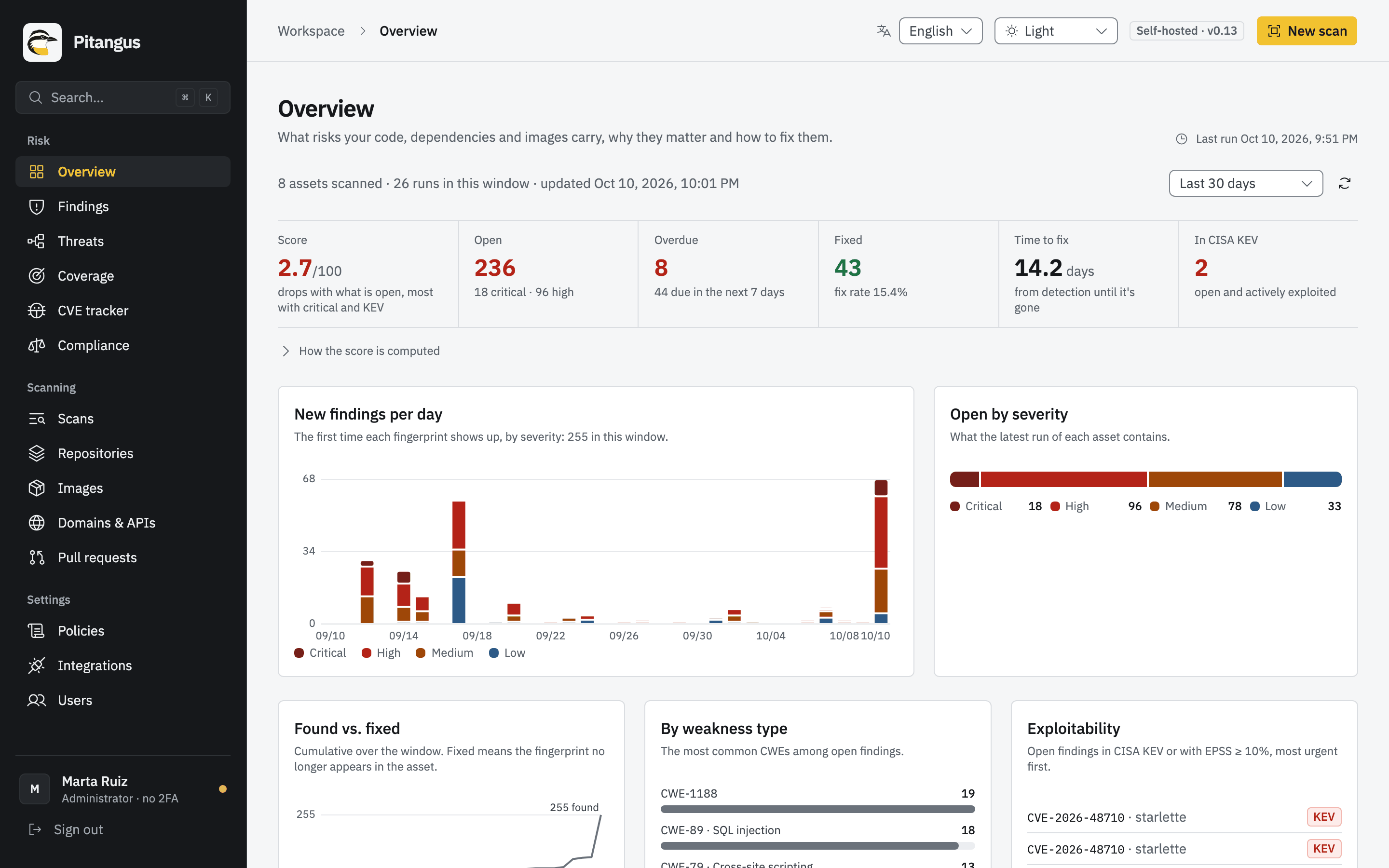
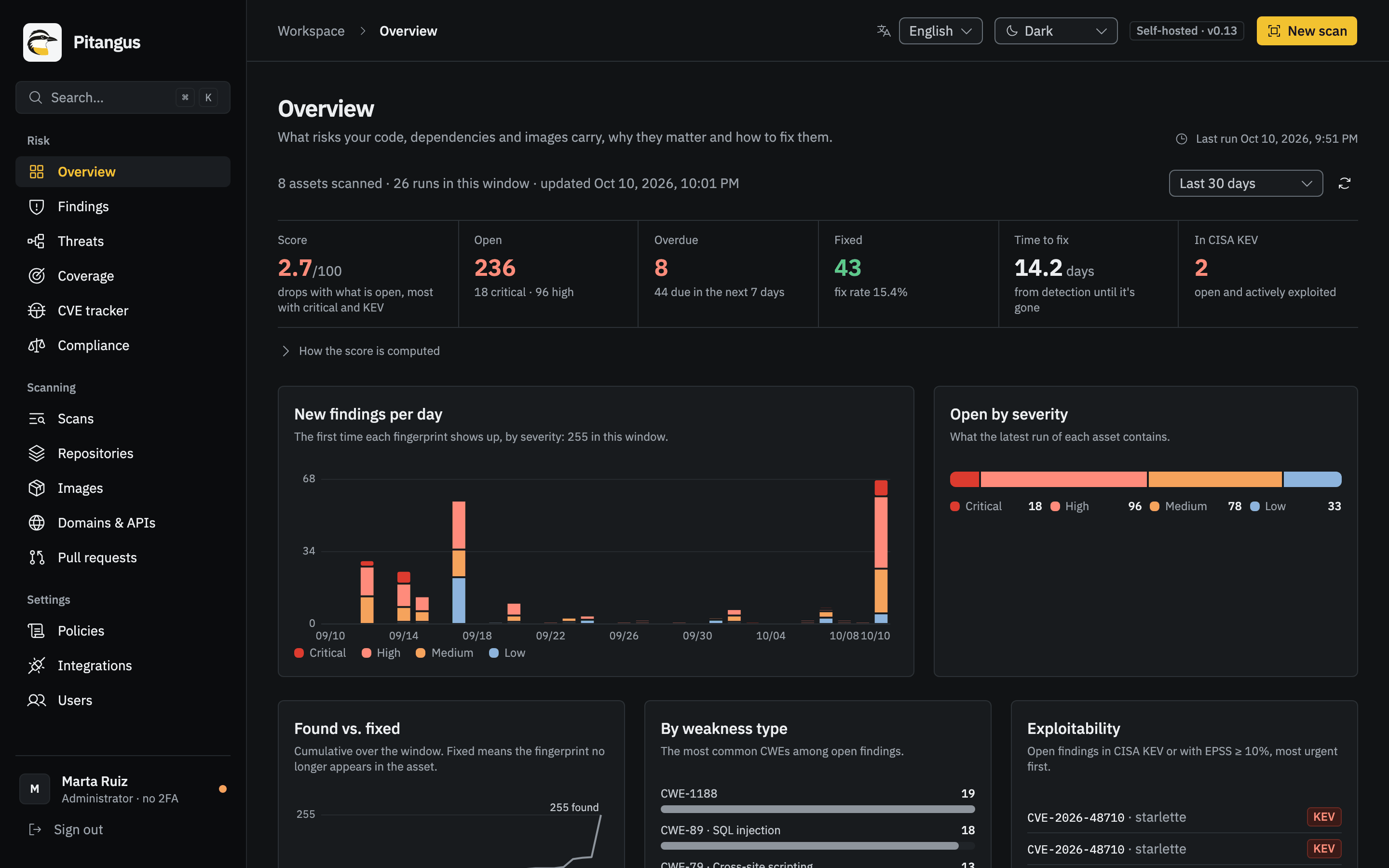
The Overview dashboard
Section titled “The Overview dashboard”Overview (#/overview) summarizes every asset over the last 7, 30 or 90 days or the last year. Its figures have
explicit definitions:
- Open: what appears in the latest run of each asset.
- Fixed: a fingerprint that was in an earlier run of that asset and no longer appears (shown with the fix rate).
- Time to fix: from first detection until the finding is gone.
- Overdue: open findings past their remediation deadline.
- In CISA KEV: open findings that are actively exploited somewhere.
- Score: a summary shown next to its formula,
100·e^(−risk/150), where risk weighs open findings by severity, KEV and EPSS. It drops with what’s open, most with critical and KEV findings. It isn’t a certification.
The panels show new findings per day by severity, open findings by severity, found versus fixed, the most common weakness types (CWE), exploitability (findings in KEV or with EPSS ≥ 10 %), the most affected assets, the top priority findings, recent runs and a year of scan activity. Security news lists the CVEs published in NVD in the last 7 and 30 days and the latest additions to CISA KEV; a CVE is marked affects you when it names a package from your open findings as the affected product, or one of their CVEs.
Read the findings
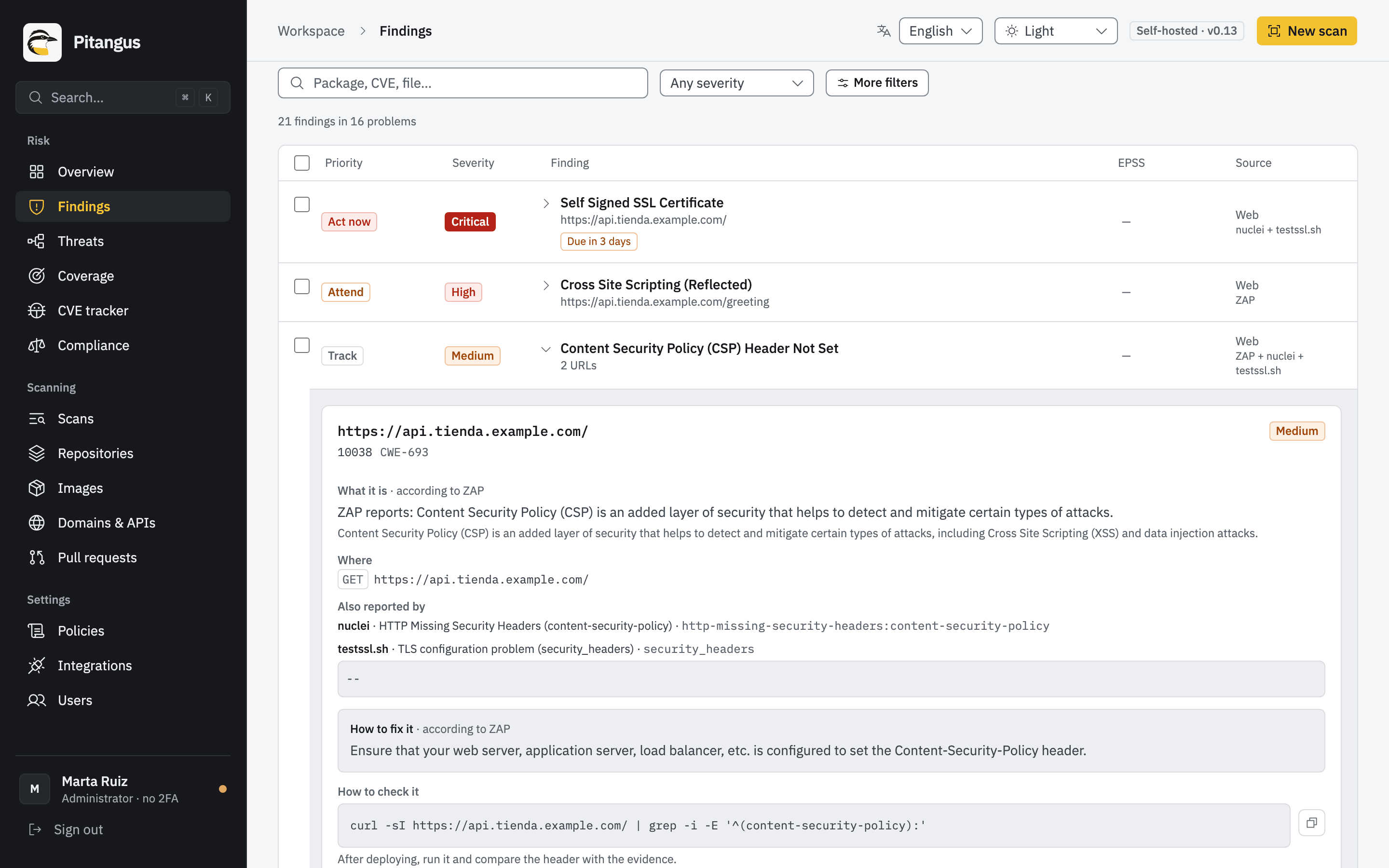
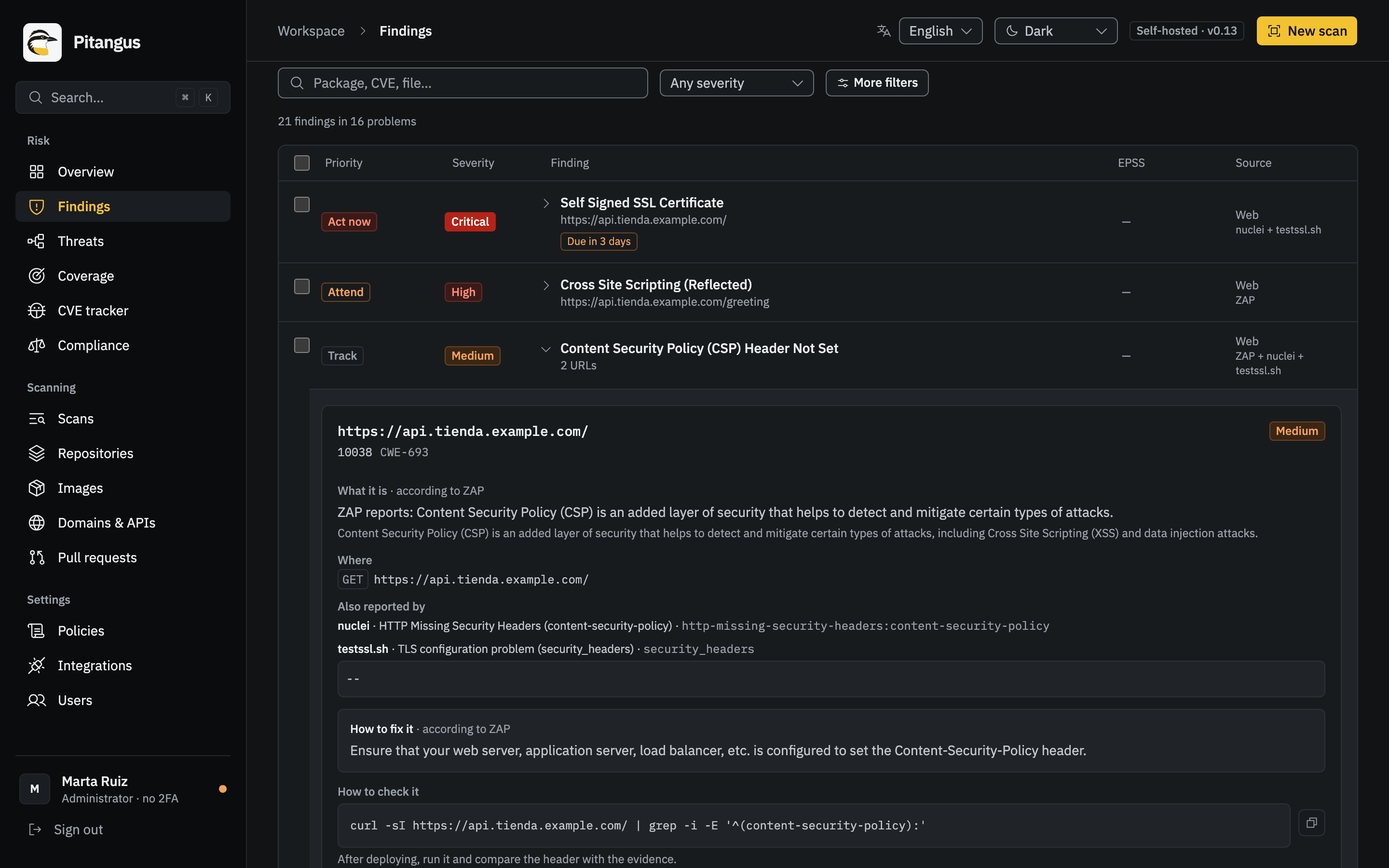
Section titled “Read the findings”Findings (#/findings) opens one asset at a time: pick it at the top. You can look at its Current state
(scans, PRs and imports combined) or at one specific run. Tabs split Open, Fixed and Excluded findings.
- Cards: overdue, critical, high, in CISA KEV and fix available, counted over pending findings.
- Filters: search (package, CVE, file…), severity and More filters: status, priority, source (dependencies, code, infrastructure, CI/CD pipelines, secrets, web) and due date.
- The detail of a finding says what it is, where, how to fix it (with a before and after example when there is one), its priority and why, its lifecycle (when it was first and last seen, where it came from) and its triage history. Dependency findings add the fixed version, CVSS, EPSS and KEV (Dependency findings).
Web findings are grouped by problem
Section titled “Web findings are grouped by problem”In a site’s findings, the same problem on several URLs is one row that opens to each URL, and the table says, for example, “15 findings in 8 problems”. Every URL is still its own finding, with its own triage and history, and the figures count them one by one. The technical reports (PDF and Markdown) group them the same way; the audit evidence keeps one row per URL. A web finding’s detail also shows what the other tools that saw it reported (Also reported by). See Scan a website or API.
How a finding lives and dies
Section titled “How a finding lives and dies”Each finding has a fingerprint: a stable identifier built from what it is and where, so the same problem in the next run is recognized as the same finding. The register updates itself from four sources:
| Source | What it does |
|---|---|
| Full scan of the asset | Whatever appears stays open, and is reopened if it had been fixed. Whatever was open and no longer appears is fixed automatically. |
| PR review | What the PR introduces stays open with origin “PR #n”. A later commit in the PR that removes it fixes it; a PR closed without merging withdraws its findings; a merged PR leaves them for the next full scan. |
| Import from another tool (SARIF 2.1.0 from Semgrep, CodeQL, Snyk, Trivy, Strix, ZAP, Nuclei…) | Its findings open with the tool’s name as origin, in an asset Pitangus already knows. A later full import of the same tool fixes what it no longer reports; a partial one only opens and updates. Pitangus’s scans never fix an imported finding, and an import never fixes theirs. |
| Triage | What your team decides (next section). |
Fingerprints are built to survive normal changes:
- Secrets, Opengrep code findings and zizmor’s GitHub Actions findings keep their fingerprint when lines are added above them, so they don’t look fixed and new at once. A finding in an image’s build history is known by the step’s command, not its position.
- A secret is identified by its value, read where its engine said and only if everything the engine said about it holds there (Betterleaks: its redacted match, its length and the value’s entropy; Trivy: its offset from the start of the file and the text it masked around it, line by line over a multi-line key) and holds for one value only. Betterleaks’ columns only count in a file it reads in one piece (up to 100 KB): past that it may count them from the middle of any line (a minified bundle, a long file), so there the value must be the only one that fits anywhere on its line. When the value can’t be read that way, the secret is unlinkable: named by its rule, its file and the content of its lines (line endings normalized), never by its rule and place alone. The same content gives the same name and any change another; it never inherits the triage of what was there before, and it is never marked fixed while its engine still reports a secret of the same rule in its file, or another engine that saw it reports one there (it stays open, unverified). Nor is a secret named by its value while an engine that saw it reports, in its file, one whose value couldn’t be read.
- A dependency advisory has one fingerprint whichever engine reports it and whatever it calls it. When an advisory
known by its GHSA gets a CVE, the finding stays the same one. Trivy and Grype agree on a package’s name in images
(a Java package’s
group:artifact, a Go toolchain’sgo1.22.1), and two reports that were separate findings before fold into one instead of one of them being marked fixed. - Findings from versions that computed fingerprints differently keep their state, triage, Jira issue and pending verification on the next scan.
A repository’s identity is its GitHub identity (its numeric ID): a renamed repository is still the same one. If GitHub stops giving access to a repository (deleted, or removed from the App), the panel warns; if access doesn’t come back within 24 hours, its findings, triage and linked tickets are deleted.
A scan where an engine didn’t run is incomplete: it doesn’t mark anything as fixed, because “not seen” isn’t “gone”. For the same reason a complete scan doesn’t fix a finding in a file it didn’t analyze: one left out of the snapshot for its size, or one the engine that reports the finding skipped (Opengrep’s files over 2 MB, say).
A SAST match silenced in the code with a nosemgrep comment is listed under Excluded with that reason, never as
fixed. It reopens if the comment goes away, and is fixed once the code it pointed at is gone. A SAST match in
third-party code copied into the repository (a library, a minified file) is excluded the same way, with that reason.
Proof before fixing
Section titled “Proof before fixing”A finding is marked fixed only when the engine that owns it proved, in a scan that worked, that it looked where the
finding was. PITANGUS_COVERAGE_MODE decides how strictly (configuration.md): on by default,
which applies every rule below; shadow records what they would change and fixes as before 0.14.
- The engine contract. Every engine’s run must end with an exit code it uses for a run that read its input, and
output that is the JSON it always writes, with the mark it writes whenever it ran. Anything else (a crash, an empty
or truncated output,
null, an error object, a timeout) means the run didn’t finish, in every mode: the engine opens nothing from it and fixes nothing it saw before. - Coverage per file or page. Each engine says which units it examined and which not, and why: a file Opengrep timed
out on, a lockfile or infrastructure file Trivy or OSV-Scanner couldn’t parse, a file Checkov couldn’t parse, a
workflow zizmor didn’t finish, credential files a secret scanner couldn’t read, a page whose own tool got a status
that proves nothing (anything but a 2xx, a 404 or a 410; for ZAP, anything but a 2xx; for a nuclei finding about one
path, anything but a 404 or a 410). Only
that unit goes unexamined; the rest of the engine’s run still counts, also when the engine ended partial. Only an
engine that failed or broke its contract is blind as a whole. A manifest whose dependencies Trivy couldn’t resolve (a
remote repository refusing a parent
pom.xml, which stops Trivy’s whole run) goes unexamined for dependencies only: Trivy runs again without remote resolution, resolves each such manifest on its own, and its infrastructure files, secrets and other manifests still count. Also unexamined for dependencies, with the step naming them: a manifest whose packages came out without a resolved version (a parentpom.xmlor a property that didn’t resolve, which Trivy reports with exit code 0 and OSV-Scanner without a word, or a requirement without an exact==pin, which neither checks), every package counted; a manifest that isn’t empty without a lockfile the engine reads beside it (build.gradlewithoutgradle.lockfile,package.jsonwith no lock or only the binarybun.lockb,Pipfile,pyproject.toml,Gemfile,composer.json,Cargo.toml…), whatever it declares. Whatever the package manager, a dependency finding lives in the project folder of each file it was seen in: an engine examined that folder only if it listed a package from a file in it in that scan, and proves the finding gone only if it listed packages from the file the finding came from, so an advisory reported in a lockfile that was deleted, emptied, replaced or left listing nothing is never fixed while its folder is in the repository, and one seen in several lockfiles waits for all of them; and a manifest or lockfile in an encoding the engine doesn’t read. A folder no longer in the repository holds nothing: what came from it is fixed. - Every engine that saw a finding must look again. A finding two engines reported (Betterleaks and Trivy, Trivy and OSV-Scanner, Trivy and Checkov) is fixed only when both, and any engine that saw it in an earlier scan, examined its file in this one. One that didn’t run, failed or passed over the file leaves it open.
- What the commit holds that the copy doesn’t. A file
.gitattributesmarksexport-ignore, an LFS object that wasn’t downloaded, a submodule, a link or a name no file can be written under is listed as not analyzed for every engine (see Scanning code): nothing found there is fixed by the archive leaving it out. - Configuration never fixes. Every scan records which engines were on and which rules each applied, with a digest of
what each rule matches. A finding is fixed only by a scan in which the rule that reported it ran, unchanged since the
finding was last seen, and its engine was on. Turning a rule off (an opt-in rule, a custom rule removed, the third-party
rules), turning an optional engine off (Checkov, Grype) or updating a rule leaves what it found Not checked
(configuration), in every
PITANGUS_COVERAGE_MODE; the finding’s detail names the rule or engine. A secret an allowlist entry or a disabled rule starts filtering is excluded with that reason, never fixed. Findings stored before 0.14 count as seen with the rules of 0.13.1. - Unverified. An open finding a scan couldn’t check stays open, marked Unverified since the first such scan, and
counts in no deadline or indicator. After
PITANGUS_UNSEEN_WARN_SCANSscans the asset’s page warns (at once when the configuration is why). It’s never fixed on its own; seeing it again clears the mark. - The fix hold. A scan that would fix at least
PITANGUS_FIX_HOLD_PERCENTof an asset’s open findings, and at leastPITANGUS_FIX_HOLD_MINIMUM, holds its fixes and says so once on the asset’s page, with why: how many it would have fixed out of how many open. The next complete scan that proves the same findings gone applies them; an administrator can mark them fixed at once (Mark as fixed). Openings are never held. - Nothing unproven goes out. Jira gets the “fixed” comment, and the notification channels a finding, only for what a scan proved: a held or unverified finding sends nothing.
- Health.
GET /api/findings/healthcounts what makes fixes look doubtful: findings back within 30 days of being fixed, scans that fixed far more than usual, open findings several engines report apart, unverified findings and the share of engines blind in each asset’s last scan.
Your code is never stored
Section titled “Your code is never stored”Pitangus doesn’t store the text of your code: it stores the location, the rule and hashes; the snippet is shown when you open the finding, read from the repository at that moment and without the secrets.
- What is stored of a code, configuration, CI/CD or secret finding: its path, its lines (and a secret value’s columns), the commit its scan read, its rule, structural metadata (severity, CWE, the resource’s address, the engines that saw it) and hashes (its fingerprint and identity, a secret’s keyed identity). Never a snippet, an imported SARIF’s snippet or context region, the YAML a zizmor finding points at, nor an engine’s message that quotes the code: an Opengrep rule without its own fix text gets a sentence naming the rule, and a Trivy configuration check is described by its own description, never by its message.
- When you open a finding, the panel asks for its code (
GET /api/findings/code, for anyone who can read the finding): Pitangus reads the file from the provider at the scanned commit, with the connection it already has (the GitHub App or the token), and returns the lines around it. It is never stored, cached or logged on the server; the panel keeps it only while the detail is open. Next to it, Open on GitHub links to the file at that commit. - Secrets stay hidden there too. Every place a secret engine reported in that file is masked before the lines leave the server: a value whose columns are known for that commit is replaced and the rest of its line kept; a secret seen at another commit, or without columns, hides its whole line, and a private key its whole block. A secret’s own finding, or a weakness whose code is a credential (CWE-798, 259, 321, 522), shows no code at all, only where it is.
- When the code can’t be shown, the detail says why: the repository is no longer reachable with Pitangus’s connection, the commit no longer has the file, the scan didn’t record its commit, or it was a local folder (the server never reads one: open the file in your editor).
- What leaves Pitangus carries no code either: Jira issues and the Markdown report link to the file at the scanned commit, pull request comments sit on the lines, notifications and the PDF reports give the location, and the SARIF export has no snippet.
What tools write about what they read is still text, not code: an engine’s message or error, a step’s detail, a web
scanner’s evidence (what a live site answered: there is no repository to read it from later) and its attack. That text
goes through one renderer before anything stores, prints or sends it. It keeps punctuation and common words (words
of programming languages, of Pitangus’s own vocabulary in English and Spanish, of code and security writing, and words
that split entirely into those and numbers of up to three digits, like getConnection or admin123) and replaces any
other word with ***, wherever it stands; a URL also loses its user information and every query and fragment value.
So # creds: admin / Winter2024Corp reads # ***: admin / ***. Every URL stored (a web finding’s location, a run’s
target, an imported SARIF’s references) is rendered the same way; a web finding’s identity reads the page as it was,
through a key of digests, so the same page keeps its identity. The values the secret engines detected are also
replaced wherever they appear, in their encoded forms. What Pitangus’s own rule catalog and public advisories say is
shown as published.
Both are tested as properties: a random value placed anywhere in scanned code appears in no database table, report, SARIF, Jira issue, notification, prompt or log, and the snippet endpoint masks every reported secret.
The upgrade to 0.14.1 removes the code earlier versions stored (data migration drop_stored_code: runs, the
registry, stored SARIF and reports, pending outbox entries). Each finding’s identity was computed from its code before
it goes, and no status changes.
Fix it with your own AI
Section titled “Fix it with your own AI”Every open finding’s detail has Copy prompt for your AI: a ready-to-paste prompt for Claude, Cursor or Copilot
with the rule, where it is, the code you opened (with its secrets hidden) and the recommended fix. The server builds the
prompt without code, since it stores none; the panel adds the lines you are looking at, in your browser, when you copy
it. pitangus scan --format prompt does the same in the terminal from the folder it scanned, read at that moment with
the same masking (only when it scanned the folder as it is on disk, not --commit or --staged). A secret finding and
a hard-coded credential never carry code. Pitangus calls no AI for it: the assistant is yours.
One identity per problem
Section titled “One identity per problem”How a finding is recognized from one scan to the next. PITANGUS_IDENTITY_MODE (configuration.md)
is v2 by default: one finding per problem, by the identity below. With shadow, fingerprints work as before 0.14 while
every finding carries its canonical identity and each scan records what grouping by it would change.
- By content, never by position. Code is its rule, file and matched code without comments or formatting; a
configured resource, its address (
aws_s3_bucket.data); a dependency, its advisory, its package as a purl and its version as its ecosystem compares it (v0.3.7and0.3.7are one Go version); a secret, the HMAC of its value with a key derived from the master key (neither the value nor the HMAC is ever stored, shown or exported), whatever key holds it, in whichever format, quoted or not, and whichever engine found it (API_KEY = "…"in a.envandapi_key: …in YAML are one secret, and Betterleaks’, Trivy’s and an imported SARIF’s reports of it are one finding; a SARIF secret or hard-coded credential is keyed by its value too, never by its snippet; two values are never one finding, even in the same place: changingTOKEN = "A"toTOKEN = "B"fixes A and opens B, a PR that does it introduces B, and A’s triage stays with A; one whose value can’t be read for sure is unlinkable, named by its lines’ content, as above); a web finding, the tool’s rule, the host, the URL’s path template, the evidence and the kind of scan that saw it (an anonymous crawl, one with saved headers, one API definition or an exposure check: only a scan of that kind can tell it’s gone, so the same alert seen by two kinds is two findings). A line added above, a suppression comment, a reformat or the order an engine lists its results in change nothing. - Families with a count. Identical problems (the same line pasted twice, the same secret in two files, one rule on many pages of a template) are one finding with its count and where each copy is. A triage decision covers the copies there were: one more puts the finding back to open with a note. One fewer is a partial fix on the same finding; it’s fixed when none is left where the scan looked. A copy in a file or page the scan couldn’t check stays counted.
- When the engine gives no content (a misconfiguration without an address, an imported result without code), the family is the rule in its file, and the count tells the copies apart.
- Two engines, one problem. Reports are joined only by identity, never by guessing from a line; when an older merge folds one into another, the folded fingerprint stays among the finding’s former names.
- Moving to
v2.pitangus identity-gatecompares each repository’s last two full scans by fingerprint and by identity. Switch once every repository scanned twice on one commit gives 0/0 both ways; the firstv2scan moves each entry, its triage and its issue to its family by their former fingerprints, under the fix hold.pitangus identity-gate --scan PATHdoes the same without a server: it scans the folder twice with this version and fails (exit 3) if the second scan opens or fixes anything, excluded findings included. Pitangus’ own CI runs it. - Folding never relaxes triage. When several fingerprints fold into one finding (copies grouped into a family, two engines’ reports joined), copies that agree keep their decision, with the earliest expiry among them; if they differ, or one was never reviewed, the finding goes back to open for review. Every copy’s history and every Jira issue go along (the others stay linked under the first).
Triage
Section titled “Triage”Select one or more findings (up to 500 at a time) and choose a status. Every change goes into the finding’s history with user, date and reason.
| Status | Action | What it means | Reason |
|---|---|---|---|
| Open | Reopen | Counts as pending again in the panel, tickets and SARIF. | Optional |
| In progress | In progress | Someone is working on the fix. Still counts as pending. | Optional |
| False positive | False positive | Stops counting as pending in this and future scans of the asset. | Required |
| Accepted risk | Accept risk | You take on the risk until an expiry date (one year at most); then it reopens on its own. Administrators only. | Required |
| Fixed | Mark fixed | Marks it fixed without waiting for the next scan. Say how (PR, patch, deploy). If a later scan finds it again, it reopens on its own. | Required |
A required reason has at least 10 characters. Decisions are tied to the fingerprint, not to a run, so they hold across scans. Dismissed findings (false positives, accepted risks) don’t count as open, don’t go to Jira and are reported as such in VEX (Compliance evidence).
Verify a fix: Reverify and Verify again
Section titled “Verify a fix: Reverify and Verify again”Fixed something? Open the finding and click Reverify: Pitangus scans its asset again and tells you whether it’s still there. After a result, the button becomes Verify again. The result is one of:
- Fixed: the new full scan no longer finds it, and the register marks it fixed.
- Still present: it still shows up.
- Incomplete: an engine didn’t run, so the scan proves nothing. Try again.
- Failed: the scan failed. Try again.
If a scan of that asset is already queued or running, the finding joins it instead of starting another one. Some findings are verified differently:
- Web findings: Reverify runs the passive scan of the domain again (administrators only). Deploy the fix first.
- From an open PR: they’re verified on every push to the PR.
- Imported: only the tool that reported it can say whether it’s gone; import a new full SARIF from it.
Excluded paths
Section titled “Excluded paths”Some folders aren’t worth looking at: intentionally vulnerable examples, tests with fake data, generated code. An administrator excludes them per repository in Findings → Repository settings → Excluded paths, one pattern per line, with a mandatory reason kept in the history:
fixturesdocs/*.md**/testdataPatterns work like .gitignore: a pattern that matches a folder excludes everything inside it (fixtures covers
fixtures/a/b.py), * doesn’t cross folders and ** does. Patterns that would exclude everything (**, */**),
absolute paths and .. are rejected. While you type, the dialog checks the patterns as saving would and says which
of the current findings would move to Excluded (or back to open), with a few of their paths, before anything is
saved. The dialog also lists common examples, each with what it means; choosing one adds its line.
A known false positive in one place. Write a rule’s ID after the path, separated by a space, and only that rule’s findings there are excluded; everything else under the path still counts:
tests/** generic-api-keyThe ID is the one under each finding’s title (a finding two engines reported answers to either engine’s rule). A rule
narrows it enough that ** generic-api-key (that rule anywhere in the repository) is accepted. To dismiss a single
finding instead, mark it as a false positive in triage.
- What falls under them doesn’t count as open, isn’t in the report or the SARIF and doesn’t block PRs. It doesn’t disappear: it stays in the Excluded tab, and every run states in its limitations how many findings were left out and by which pattern.
- Excluding isn’t fixing: excluded findings never become fixed. Remove the exclusion and they’re open again.
- Exclusions live on the server, not in the repository: a file in the repository would let a PR exclude itself.
For the same reason, the repository’s
.betterleaks.tomlor.gitleaks.tomlisn’t applied.
From the terminal, make scan DIR=../my-repo ARGS="--exclude fixtures" does the same for one run (CLI).
Remediation deadlines
Section titled “Remediation deadlines”Every pending finding has a due date based on its severity, counted from first detection (reopening it doesn’t restart the clock). By default: critical 7 days, high 30, medium 90 and low 180. An administrator changes them in Policies → Remediation deadlines (a whole number of days from 1 to 3650, or empty so that severity never falls due); they apply to every repository. Only open and in-progress findings fall due: fixed, excluded, false positives and accepted risks that haven’t expired never do.
They show up in Findings (the Overdue card, an “Overdue by N days” or “Due in N days” badge, and the More filters → Due date filter), in the Overview (Overdue) and in the audit evidence report (the policy and the overdue findings sorted by delay, which is what SOC 2 and ISO 27001 ask for as evidence of timely remediation).
Several assets at once
Section titled “Several assets at once”The scope picker at the top of Findings (the same one as in Compliance) has four options: One asset (the default, with its runs and settings), An organization (its repositories), Choose several (repositories and images) or All. With a repository come the images built from it, unless you turn that off.
The scope stays in the address (#/findings?scope=account&account=acme), so a reload or a shared link opens the
same view. It combines each asset’s current state:
- The cards add up the whole scope, and the table gains an Asset column.
- By asset lists each asset with its pending and critical findings, most critical first; click one to open it alone.
- Triage works per finding or on a selection across assets. It’s saved asset by asset; if one fails, the panel says which and retries only those. Jira issues and the consolidated audit evidence (up to 500 assets) work the same way.
- Excluded paths, secret rules, picking a specific run and the per-asset files (PDF, SARIF, SBOM…) need one asset.
- A very large scope lists the 10,000 most urgent findings of the tab and says so; the counts always cover everything.
OWASP coverage
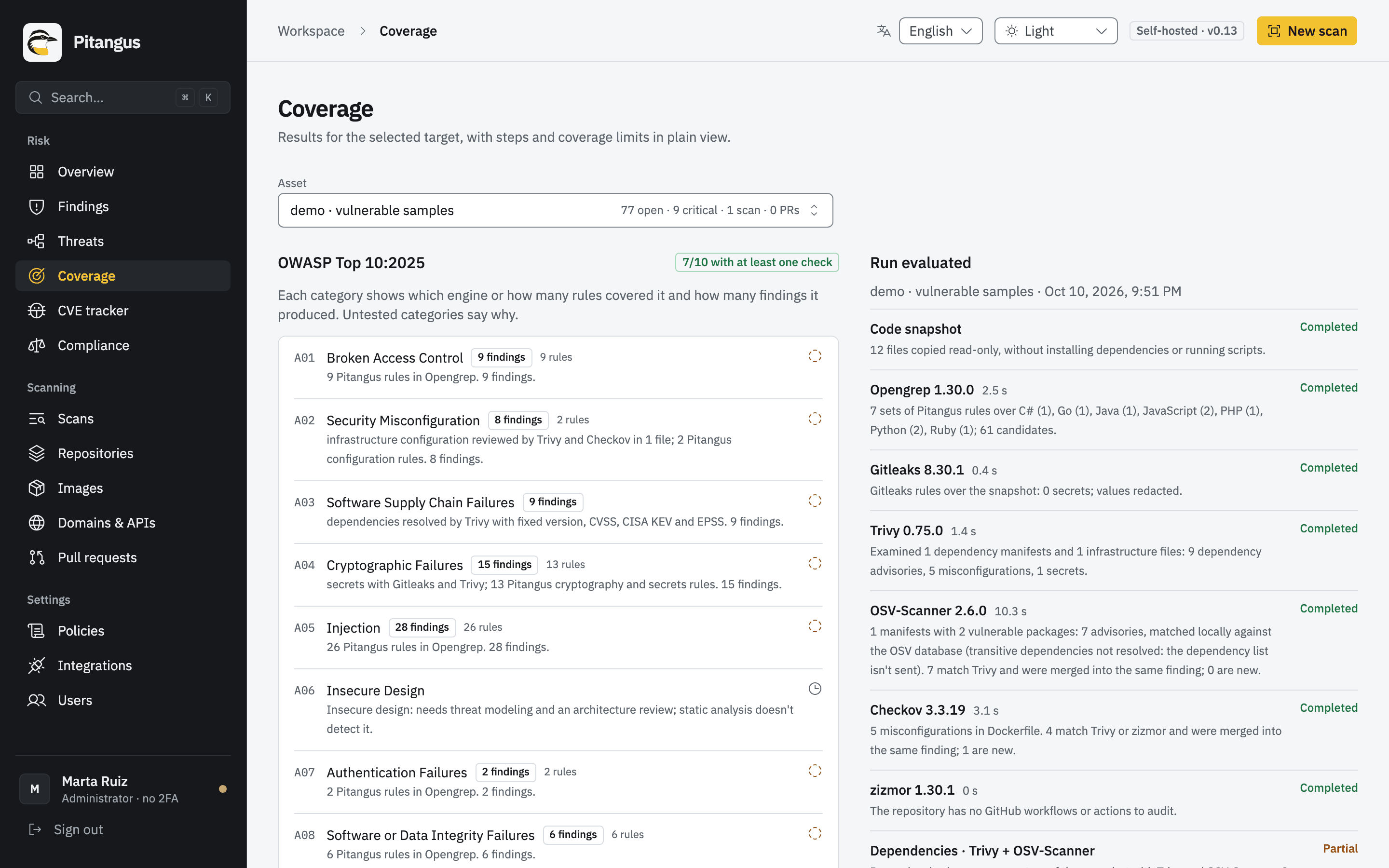
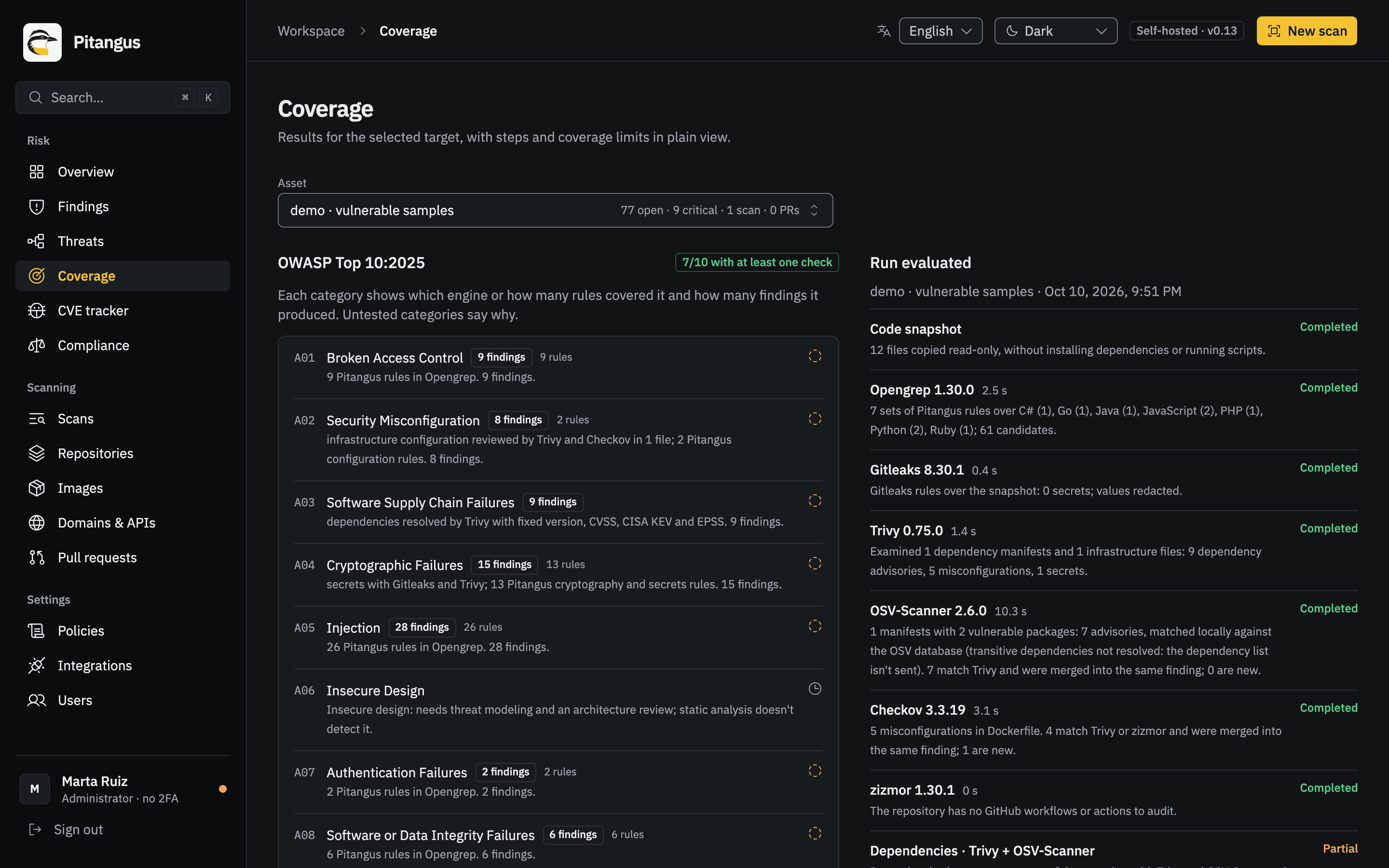
Section titled “OWASP coverage”Coverage (#/coverage) shows, for one asset’s latest full scan, which OWASP Top 10 categories were checked:
how many Pitangus rules target each category (read from rules/), which engines covered it and how many findings it
produced. What a scan of that kind can’t cover is declared with its reason, not with a generic sentence: for code,
insecure design, logging and alerting, and exceptional conditions need the running application; an image scan only
reads packages and configuration; a passive web scan sends no attacks.
OWASP guidance on each finding
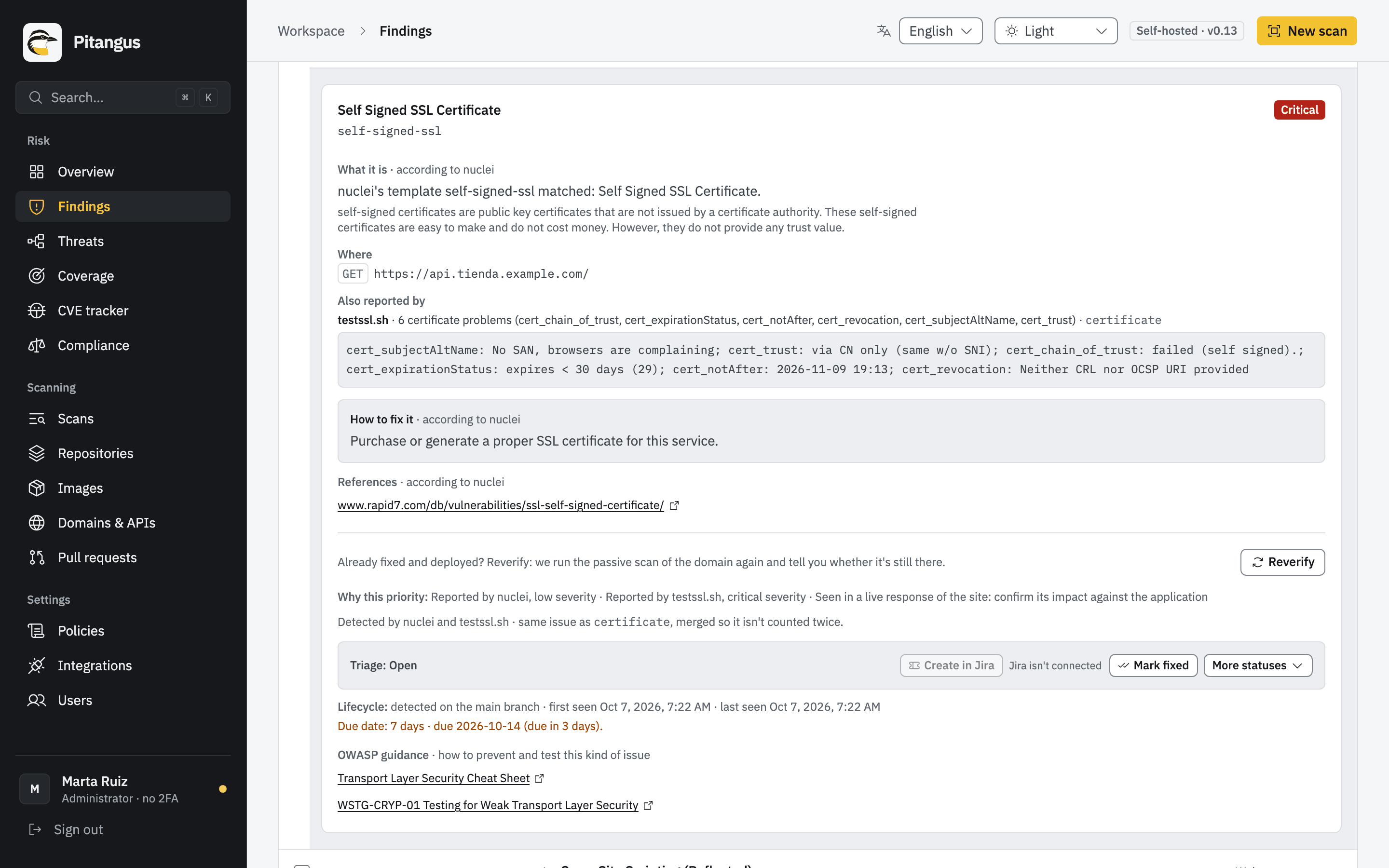
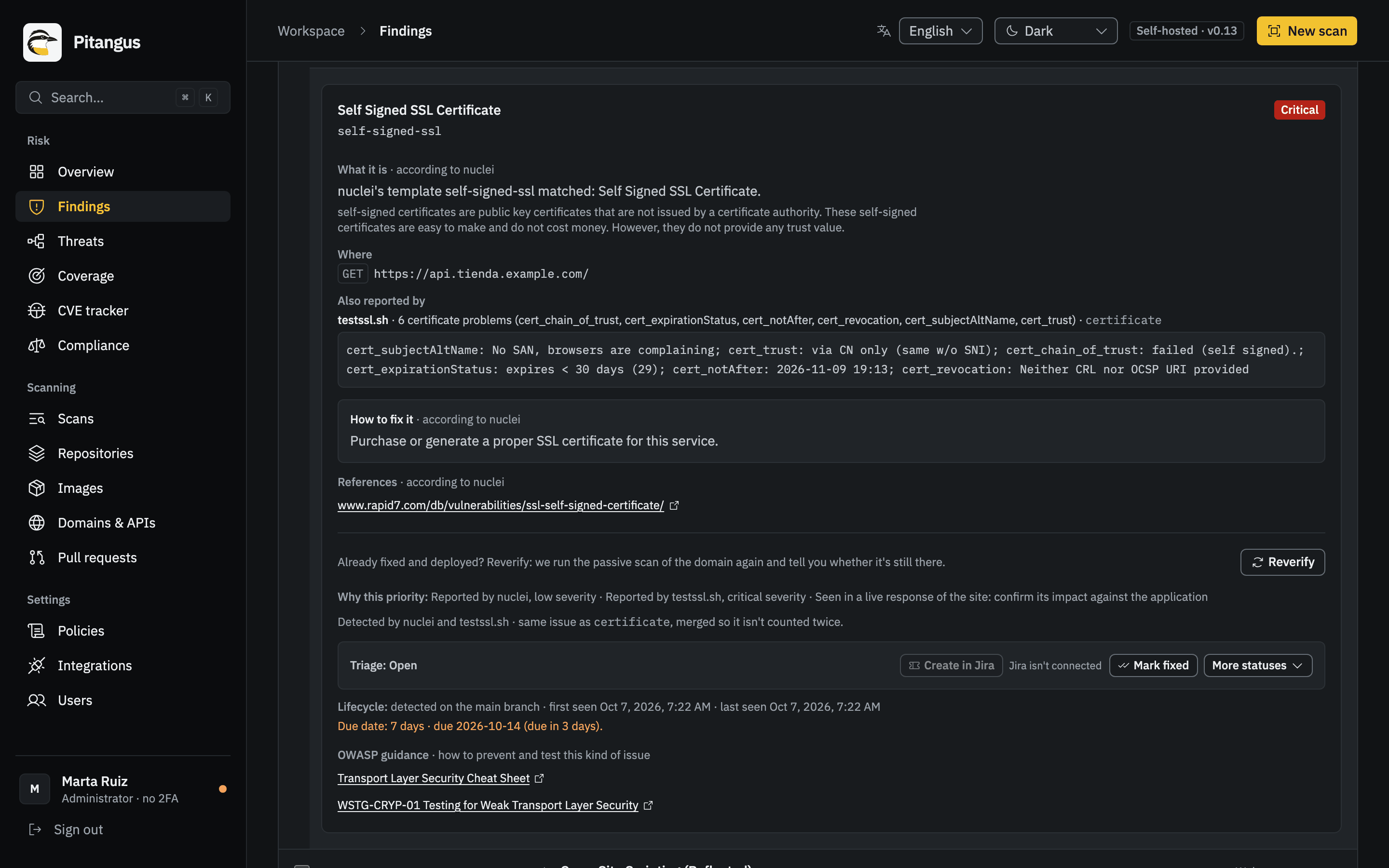
Section titled “OWASP guidance on each finding”Every finding links to the OWASP pages about its kind of problem, under OWASP guidance in its detail:
- the OWASP Cheat Sheet Series page that explains how to prevent it,
- its OWASP Top 10:2025 category,
- and, for code and web findings, the OWASP API Security Top 10 2023 risk and the Web Security Testing Guide (WSTG) test that fit.
The links come from a curated, versioned mapping in the repository
(pitangus/modules/findings/references.yaml): by rule first
(security headers, cookie flags, CORS, HSTS, TLS, clickjacking, GitHub Actions audits, image checks…), then by
framework or file (Dockerfile, Kubernetes, Terraform, pipelines), then by CWE, then by scanner. A finding whose engine
gave no OWASP category gets the one OWASP’s own CWE mapping assigns.
They’re links only; the pages’ text isn’t copied. Pitangus doesn’t write its own fix for third-party rules, since the
fix may live in a WAF, a CDN or the platform rather than the code: the tool’s own guidance and references come
first, as published, and the OWASP links after them. The technical PDF and the Markdown report print them next to
each finding’s references. The API serves them as guidance (title, url, kind: cheatsheet, top10,
api_top10 or wstg), computed when the finding is read, so findings from older runs get them too.
CVE tracker
Section titled “CVE tracker”CVE tracker (#/cve-tracker) searches a local copy of NVD kept in the database, cross-referenced with CISA KEV
and EPSS: free text, CVE by prefix, severity, KEV only, year, sorting by date, CVSS or EPSS. Each CVE shows its
severity and CVSS, EPSS, whether it’s in KEV, its CWE, vector and references, and which of your repositories and
images have it among their findings. Only those affecting me limits the list to CVEs open in your assets
(leaving out what was dismissed in triage). The search stays in the address, so you can share or reload it.
The copy loads in the background from newest to oldest, resumes after a restart and then stays current every 2
hours. Without an NVD API key, NVD allows 5 requests every 30 seconds and the full load (about 400,000 CVEs) takes a
few hours; with PITANGUS_NVD_API_KEY it’s about 8 times faster. PITANGUS_CVE_SYNC=off turns it off
(Configuration). When NVD hasn’t scored a CVE (since 2026 it only enriches some), the score comes
from EUVD (ENISA’s database), queried on demand and cached, which also says whether it’s actively exploited.
Export findings
Section titled “Export findings”From a run or the current state of an asset: PDF report, and under More formats:
| Format | For |
|---|---|
| Markdown report | Pasting into a wiki, an issue or a PR. |
| Full JSON | Your own scripts. |
| SARIF (code scanning) | SARIF 2.1.0, the standard format for static analysis results, with security-severity, for GitHub code scanning and other tools. |
| Jira tickets (JSON) | One ticket per remediation task, in the shape the Jira connector uses. |
| SBOM · CycloneDX 1.6 and VEX · OpenVEX (from triage) | See Compliance evidence. |
| Audit evidence (SOC 2, ISO, PCI…) | A PDF with scope, method, findings, exceptions and sign-offs, mapped to the framework you choose. See Compliance evidence. |
The current state exports its accumulated register through its own route, so it’s never confused with a single run. Excluded findings are left out. Reports come out in English or Spanish. The compliance profiles organize technical evidence; they aren’t an audit, a certification or an attestation.
Jira. Create in Jira turns a selection (up to 50 findings) into issues, one per remediation task, without duplicating issues that already exist; routing rules can also create them automatically after a scan. Setup and details are in Integrations.
Common errors
Section titled “Common errors”| What you see | Why | What to do |
|---|---|---|
| “No findings in what was scanned” | The rules and dependencies covered raised nothing | Check the run’s coverage and limitations: a clean result isn’t proof. |
| A finding came back after you marked it fixed | A later scan found it again | Check the fix was deployed or merged into the scanned branch. |
| Accept risk is missing | Only administrators accept risks | Ask an administrator. |
| Reverify says the scan was incomplete | An engine didn’t run | Fix the engine problem (Troubleshooting) and verify again. |
| A warning says GitHub has had no access to the repository | The App lost access to it (deleted, or removed from the App) | Give the App access again within 24 hours to keep its findings. |
Next steps
Section titled “Next steps”- Compliance evidence: SBOM, VEX, audit reports and CRA.
- Integrations: Jira, Slack, Teams and SARIF imports.
- Threat modeling: link threats to the evidence in your findings.
- Concepts.