

Scan your code and dependencies (SAST, SCA, secrets, IaC)
A code scan reads a repository without running it and looks for five kinds of problems: flaws in your own code (SAST, static application security testing), dependencies with known vulnerabilities (SCA, software composition analysis), secrets committed by mistake, risky infrastructure configuration (IaC, infrastructure as code: Terraform, Kubernetes, Dockerfiles…) and risky CI/CD pipelines. Every result is a finding: a candidate you confirm and fix, not proof of an exploitable flaw. A clean result doesn’t prove there are no vulnerabilities. The terms are explained in the glossary.
Pitangus doesn’t write its own engines: it runs well-known open-source ones, each pinned by digest, and puts their results in one register with triage, deadlines and evidence (see Findings, triage and remediation).
Prerequisites
Section titled “Prerequisites”- Pitangus running (installation or the quickstart), with Docker available to the worker. Without Docker, only a reduced fallback runs (see Common errors).
- The engine images:
make upbuilds the Opengrep image and pulls the missing engines;make enginespulls them on their own. - For repositories on GitHub: the GitHub App installed on them (Connecting GitHub). Folders in the server’s workspace can be scanned without it.
- For the terminal: only
makeand Docker, from the Pitangus folder.
Launch a scan from the panel
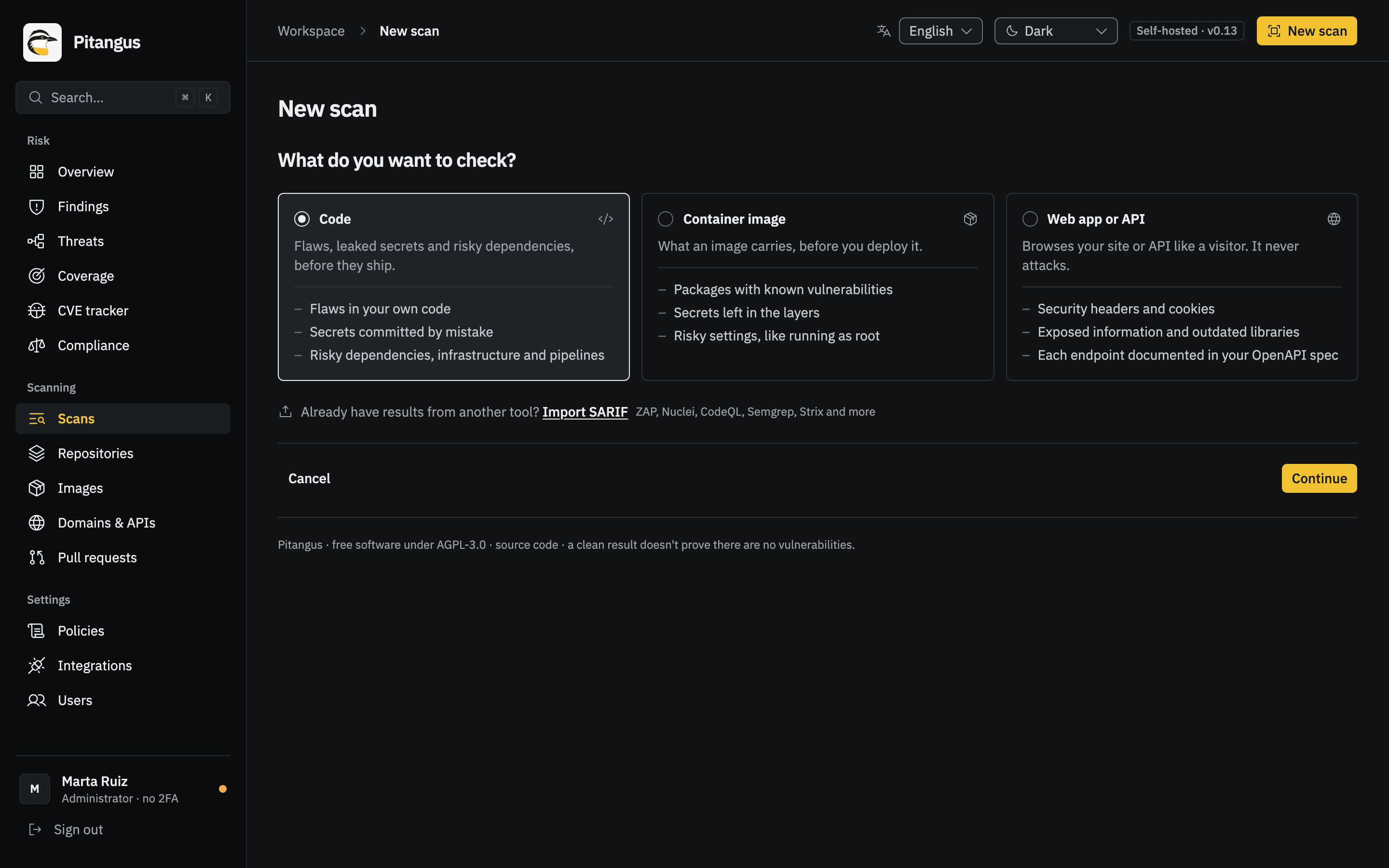
Section titled “Launch a scan from the panel”- Click New scan (or press
N). - Choose Code.
- In Repositories, pick one or more repositories, or Whole organization. Up to 100 can be picked by hand; a whole organization has no cap. Several repositories run as a batch, one after another, that you can follow and cancel in Scans.
- Optionally, in Context, write what the application does and what worries you. It’s shown in the report as your team’s note.
- In Review and launch, check what will run (the languages that have SAST rules, secrets, dependencies, infrastructure). Leave Check dependencies online with OSV off unless you want package names and versions sent out (see Dependency findings). Launch it.
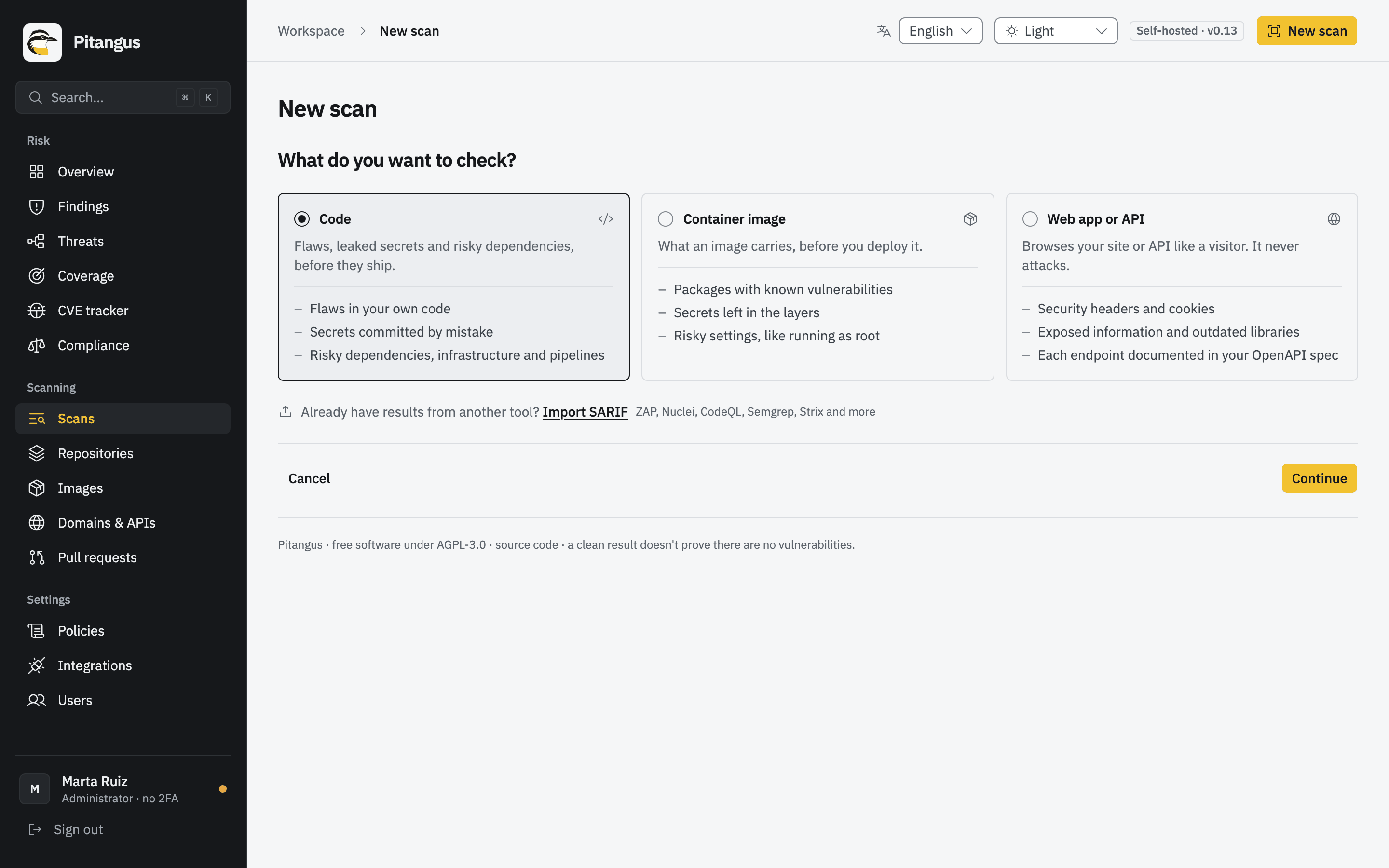
The scan is queued and starts as soon as a worker is free. See Background scans and progress.
Launch a scan from the terminal
Section titled “Launch a scan from the terminal”make scan analyzes a local folder with the same engines as the panel. It never runs your code and never sends it
anywhere:
make scan DIR=../my-repoWith --base, only what your change introduces counts, which is what you want before a push or in CI:
make scan DIR=../my-repo ARGS="--base main"The output looks like this (shortened):
Pitangus · my-repo · changes since main (merge-base 73223791, 3 files)
CRITICAL app.py:8  Injection: eval exec non literalHIGH     requirements.txt  urllib3 1.26.4: 9 advisories (5 high, 4 medium) → update to 2.7.0HIGH     settings.py:1  Exposed GitHub personal access token
Engines: Opengrep 1.30.0, Betterleaks 1.9.0, Trivy 0.75.0, OSV-Scanner 2.6.0
BLOCKED · threshold: high or above · 3 new findings at severity high or above
Exit codes are 0 (pass), 1 (findings at or above the threshold), 2 (invalid input) and 3 (an engine didn’t
run, so the analysis is incomplete). Every option, the GitHub Action and GitLab CI are in
Scanning from the terminal and in CI.
Analysis engines
Section titled “Analysis engines”Each engine runs in its own container, pinned by digest, with no capabilities, no privilege escalation and the code snapshot mounted read-only.
| Engine | What it covers | Network |
|---|---|---|
| Opengrep 1.30.0 | SAST with the Pitangus rules (rules/, MIT) for JavaScript, TypeScript, Python, Java, Go, PHP, Ruby and C# |
None |
| Betterleaks 1.9.0 | Secrets, values redacted | None |
| Trivy 0.75.0 | Dependencies of any ecosystem, infrastructure configuration (Dockerfile, Kubernetes, Terraform) and secrets | Only to download its vulnerability databases and misconfiguration checks, cached in data/trivy-cache/ and refreshed once for every worker when due; nothing from the repository is sent |
| OSV-Scanner 2.6.0 | Dependencies, against the OSV database (which includes GitHub’s advisory database); reads more formats, such as .NET .csproj and Directory.Packages.props, gradle.lockfile, uv.lock, Pipfile.lock, pubspec.lock |
Only to download the OSV databases, cached in data/osv-cache/; matching is local |
| Checkov 3.3.19 (optional, off by default: turn it on in Settings → Analysis engines) | IaC (Terraform, CloudFormation, Kubernetes, Helm, Kustomize, ARM, Bicep, Serverless, OpenAPI, Ansible, Dockerfile) and pipelines (GitHub Actions, GitLab CI, Bitbucket, Azure Pipelines, CircleCI, Argo) | None (--skip-download, no external modules) |
| zizmor 1.30.1 | GitHub Actions in depth: template injection, dangerous triggers (pull_request_target), token permissions, actions not pinned by SHA or archived, credentials that persist after checkout |
None (--offline) |
The Opengrep image is built locally by make build (or make up): it downloads the official binary and checks it
against its pinned SHA-256 (docker/engines/opengrep/VERIFY.md explains the Cosign check).
The Pitangus rules. The Semgrep registry rules can’t be shipped in a product (their license has been
internal-use-only since December 2024), so Pitangus writes its own: 66 rules aimed at specific sinks (code
execution, SQL, deserialization, unescaped HTML, unverified TLS), 14 of them with taint tracking from request inputs.
Each one has its cases in rules/tests/, what it must catch and what it must leave alone, and CI runs them
(make rules-test) before any change to a rule ships. Each run says which of the repository’s languages have rules
and which don’t.
Two rules were measured for 0.14 on a public corpus of 17 applications (intentionally vulnerable and real), each match
labeled by hand. appsec.js.dom-xss-sink (a variable written to innerHTML, outerHTML, document.write or
insertAdjacentHTML) is off by default: 3 of its 18 matches were XSS; the rest wrote constants, data from the
application’s own server or HTML that was already safe. Turn it on with PITANGUS_SAST_OPT_IN_RULES=appsec.js.dom-xss-sink
(configuration.md); turned on, it now leaves alone another element’s own HTML, a sanitizer’s output
(DOMPurify.sanitize, ….sanitize(…)) and a Trusted Types policy (policy.createHTML(…)): 3 of 16. While a rule is
off, what it found before shows as not checked (rule off), never as fixed. appsec.java.hardcoded-password stays on and
no longer matches names for where a credential goes or what it looks like (*_PATH, *_PARAM, *_HEADER, *_REGEX, a
salt…) nor values that are paths, URLs, templates, prose or property keys (spring.datasource.password): from 9 of 11
to 9 of 9 on the corpus.
A match silenced with a nosemgrep comment in the code still shows up, under Excluded with that reason: it isn’t
fixed, and it reopens if the comment goes away.
A match in third-party code copied into the repository is listed the same way, under Excluded with the reason
“third-party code”: a dependency folder (vendor/, third_party/, bower_components/…), a library folder among the
static files (public/lib/, static/js/libs/, assets/plugins/), a minified file, or a file of at least 8 KB that
opens with the license banner of a known library (its name, a release and a license: jQuery JavaScript Library v3.7.1, Materialize v0.100.1 … MIT License). The decision reads only the file’s folders and content, never its name
and never the rule that fired: your own lodash-helpers.js or chart-core.js is analyzed like any other file, and a
header of your own (Acme Portal v2.3.0, Copyright Acme) names no known library. All the matches in one file get the
same answer. Update the library rather than patching it in place; if a file is yours and stops looking like a library,
its findings come back. Secrets found there are not set apart: a key in a bundle is just as leaked.
What each engine reads. Whatever is committed goes through the secret scanners (Betterleaks and Trivy’s secret
scanner), whatever folder it’s in and however deep: a token in src/data/config.js, build/ or vendor/ is found.
Only version control metadata (.git/) is never read. The other engines (Opengrep, Trivy’s dependency and configuration
scanners, OSV-Scanner, Checkov, zizmor, the policy reader) leave out two kinds of folders, which go to the copy only the
secret scanners read:
- dependencies: folders package managers install into or vendor (
node_modules/,bower_components/,jspm_packages/,site-packages/,venv/,vendor/), wherever they are; - generated: build output (
dist/,build/,out/,target/,coverage/,htmlcov/,storybook-static/,__pycache__/) at the repository root, next to a build manifest (packages/web/dist/besidepackages/web/package.json) or holding source maps. Anywhere else (src/build/,src/data/) a folder is source and every engine reads it.
The snapshot step names those folders, and each engine lists them as not analyzed with that reason, so nothing it found
there before is taken as fixed. Opengrep also leaves out test code (test/ and tests/ folders, *_test.go) on purpose,
each listed the same way; its own default list (which also dropped build/, dist/, vendor/ and *.min.js anywhere,
silently) is replaced. A file’s name never keeps it out: a minified file is left out of SAST by its content. A scan of a
folder on disk (pitangus scan, not --commit or --staged) also leaves out what tools install or cache on that
machine and nobody commits (node_modules/, venv/, site-packages/, __pycache__/…), and says how many. The panel
and the CLI show these folders per engine and reason, not file by file.
What was committed is the commit’s tree. GitHub and GitLab serve a repository as git archive makes it: without
what .gitattributes marks export-ignore, without a submodule’s files, and with a Git LFS file’s pointer instead of
the file. So the snapshot is checked against the commit’s own tree (the provider’s API for that exact commit, or git ls-tree for a local repository or a commit): every entry the copy doesn’t hold as committed is listed as not analyzed,
with the reason (export-ignore or anything else the archive left out, an LFS object that wasn’t downloaded, a
submodule, a symbolic link, a name no file can be written under such as one with a \), and nothing found there before
is taken as fixed. A pull request that adds secret.py export-ignore hides nothing: the file shows as not analyzed. A
list longer than 5,000 entries is declared by folder, never cut.
The secret scanners’ own lists are off. Betterleaks and Trivy ship lists of paths they skip without a word
(node_modules/, vendor/, lockfiles, tests, examples, Markdown, images, jquery*.js…). Pitangus turns them off and
applies only its own: the paths of your secret detection settings, and what it withholds there is reported as excluded.
Files the other engines don’t read by their name (hidden folders such as .vscode/ or .pnpm/, binaries, images,
source maps) also go to the secret scanners. Neither engine is trusted to have read everything: each one’s own log
names every file it read, and a committed file it didn’t name is listed as not analyzed by that engine, with the
reason (the engine passed over it without reading it: a binary, a file too small to hold a secret, whatever it was), so a
secret it saw there before isn’t taken as fixed. What an engine read is judged by the bytes, not by its log alone: the
engines match bytes, so a file that isn’t UTF-8 text (UTF-16, an EBCDIC code page, a binary) is listed as not analyzed
(encoding) even when the log names it. A UTF-16 or UTF-32 text (PowerShell 5’s default) is read as UTF-8 first, so its
secrets are found like any other. An empty file has nothing to read. A gitleaks:allow (or
betterleaks:allow) comment on a line is your decision, written in the code, and is honoured, but never silently:
every match it allows is listed under Excluded with its file and line (never its value), counted in the step, the
run’s limitations, the CLI and --format prompt, and never taken as fixed. The same goes for the entries of a
.gitleaksignore or .betterleaksignore at the repository root (Betterleaks fingerprints, path:rule:line): Pitangus
honours them and lists each match as excluded; Betterleaks never loads those files itself. The same rule holds for every
engine (What the repository says to the engines).
PITANGUS_IGNORE_REPO_SUPPRESSIONS=1 ignores the comments and those files. Reading committed dependency folders takes longer: about 35 seconds more for a 600 MB
node_modules/ with 47,000 files, nothing for a repository without one.
Manifests and lockfiles enter the snapshot by name, without the 2 MB limit that applies to code files (a large
package-lock.json is normal), with a safety cap of 64 MB.
Dependencies are checked from what a lockfile (or a manifest that pins exact versions, such as pom.xml, go.mod or a
requirements.txt with ==) resolves. A dependency finding belongs to the project folder of the file it came from (and
of every other file it was seen in), whatever package manager that is: no list of lockfile names decides it. An engine
examined a folder in a scan only if it listed at least one package from a file in it, and it proves a finding gone only
if it listed packages from the very file the finding came from. So deleting, emptying or replacing any lockfile (Conan’s,
sbt’s, renv.lock, a requirements.txt compiled from requirements.in, one nobody has heard of) never marks what was
found in it as fixed while its folder is still in the repository; deleting the whole folder, or upgrading the package
where it is, does. Every engine that saw a finding must have listed that file again. A manifest that isn’t empty without
its lockfile beside it shows as not examined (no lockfile) in the Trivy and OSV-Scanner steps (lockfile without
packages when the lockfile gave none), never as zero vulnerabilities; that wording names the package managers Pitangus
knows, but the rule above holds for all of them. A manifest with dependencies left without a resolved version (a parent
POM that didn’t resolve, a requirement without a pin) is not examined either. Commit the lockfile and the next scan
examines it.
Credential files (.env*, .npmrc, .pypirc, .netrc, SSH keys named id_*, credentials, .git-credentials,
.dockercfg, .s3cfg, .boto, .htpasswd), anywhere in the repository, never enter the
snapshot the other engines share: they go to a separate copy that only Betterleaks and Trivy’s secret scanner read, and
it’s deleted as soon as they finish. Their values are never stored. One too large to copy, or one a secret scanner
couldn’t read, is listed as not analyzed, so a secret seen there before isn’t taken as fixed.
Hard-coded passwords (Betterleaks’ generic-password rule) are checked by default. A value that reads like a password
in shape only is set aside: anything under tests, docs, examples or translations; a reference or template
(${DB_PASSWORD}, {{ password }}, process.env.…, getenv(…)); text with spaces; an identifier
(label.password, newPassword; a passphrase like correct-horse-battery-staple, four words or more joined by one
- or _, is a password); a placeholder (changeme, postgres, xxxx, your_password, a value equal to its key’s
name); and a weak value (under 8 characters, or a single kind of character and under 16: a capital first letter
doesn’t count as a kind, and letters with accents are letters, so Contraseña2024! is a password and Contraseña is
not). Each match is judged on its own file, line and value, which is read and forgotten, never stored. What is set
aside isn’t a finding, but it’s never dropped silently: the Betterleaks step and the run’s limitations count it by
reason. On 18 public repositories the filter took 1,525 matches down to 23 and kept the 12 an independent review
labeled real; 18 of the 23 are real passwords or seed data. The other generic rule, generic-credential-uri
(any URL with a user and password), stays off: it can be turned on in Policies → Secret detection.
Every other secret rule, in Betterleaks and in Trivy, only loses what can’t be a secret by its shape: a key that is
public by design (a Supabase anon key, whose claims say "role": "anon", or a sb_publishable_ key; a service_role
key always stays), an unsigned JWT ("alg": "none"), a reference (${TOKEN}, <token>), an environment variable’s
name standing in for its value (Bearer ACCESS_TOKEN) and a placeholder (YOUR-ACCESS-TOKEN, example, ..., a run
of one character such as XXXXXXXX or T00000000, or a counted one such as 12345678). A secret in tests, docs or
examples is still a finding, with attend priority instead of act now: it’s rarely the one production uses, but
rotate it if it’s real. On the public corpus (17 repositories) the default rules went from 246 matches to 134, losing no
real secret; only 23 of those 134 are still act now.
What the repository says to the engines
Section titled “What the repository says to the engines”A repository can tell an engine to report less: a comment on the code it flags, or a file the engine loads. Pitangus
honours your decision but never silently. Every result one of them suppresses is listed under Excluded with its rule,
its file and line and what suppressed it (never the code), counted in the step, the run’s limitations, the CLI and
--format prompt, and never taken as fixed: it reopens if the suppression goes away.
| Engine | Comments | Files |
|---|---|---|
| Betterleaks, Trivy (secrets) | gitleaks:allow, betterleaks:allow |
.gitleaksignore, .betterleaksignore |
| zizmor | # zizmor: ignore[rule] |
.github/zizmor.yml, zizmor.yml (ignored results and audits turned off) |
| Trivy | trivy:ignore:ID (infrastructure files) |
.trivyignore or .trivyignore.yaml at the root (the YAML one when both are there) |
| Checkov | checkov:skip=ID, checkov.io/skip… annotations |
.checkov.yaml / .checkov.yml: skip-check, check and plain-path skip-path entries |
| OSV-Scanner | — | osv-scanner.toml in each scanned folder |
| Opengrep | nosemgrep |
none: your .semgrepignore is replaced by Pitangus’ own list |
How Pitangus knows what was suppressed: zizmor, Checkov’s comments, Trivy’s comments and OSV-Scanner’s files run a
second time with the suppressions off (zizmor’s --no-config --no-ignores, a copy of the files with the comments made
inert, an empty osv-scanner.toml of Pitangus’ own), only when the repository has some, and what only that run reports
is what they hid. Trivy reports what its ignore file suppressed itself (--show-suppressed), and Opengrep what a
nosemgrep comment silences (--disable-nosem). Checkov loads a .checkov.yaml on its own, whatever its flags say,
so it never sees yours: Pitangus applies its suppressions instead, and never runs a regular expression from the
repository (a skip-path that isn’t a plain path, and severities, which need Checkov’s platform, suppress nothing). If
the run that says what was suppressed fails, the step is partial and the scan marks nothing as fixed.
PITANGUS_IGNORE_REPO_SUPPRESSIONS=1 (the former PITANGUS_SECRETS_IGNORE_INLINE_ALLOW still works) makes all of them
suppress nothing: every result is reported as a finding.
What code written with an AI assistant often gets wrong
Section titled “What code written with an AI assistant often gets wrong”Besides the usual injection and crypto rules, some rules aim at the slips generated code makes most: a Supabase
service_role key in the code (found by what the key says, a JWT whose claims are service_role, not by its variable’s
name) or read in a "use client" file; a secret, API key or token in a variable with a public prefix (NEXT_PUBLIC_,
VITE_, REACT_APP_, EXPO_PUBLIC_…), which the bundler copies into the browser (VITE_OPENAI_API_KEY, not the keys
meant for the browser such as the Supabase anon key, a publishable key or the Firebase web config); CORS open to any origin with credentials
(Express, FastAPI, Flask); a route without the authentication its siblings in the same file have (Express, FastAPI);
and a JWT decoded without checking its signature.
Two kinds of access policy no code engine reads go through a small reader of Pitangus’ own, which declares what it read like any engine (a file it couldn’t read is not analyzed, never clean):
- Supabase migrations (
.sqlunder asupabase/folder), read in order: a table in a schema the project’s API serves (public, or what[api] schemasin itsconfig.tomlsays) that ends up without row level security is a finding on itscreate table, keyed by the table, so moving it doesn’t change it. Eachsupabase/folder is its own project: in a monorepo, enabling row level security onprofilesin one app never covers theprofilesof another, andapi.itemsis notpublic.items. Thealter table … enable row level securitycounts from any later migration or file of the same project. - Firebase security rules: in Firestore and Storage
.rules, anallowwith no condition orif true(open), with only an expiry date (test mode) or, on every document under a recursive wildcard ({document=**},{allPaths=**}), with only a signed-in user (request.auth != null,request.auth.uid != null, or a function of the file that returns that); in Realtime Database*.rules.json,.reador.writeset totrue, to only a date (now < …) or, at the root, to onlyauth != null. The rules are read as Firebase reads them, not by pattern: the optional;, spacing, comments and the order of the blocks change nothing, and adatabase.rules.jsonwith//comments is still read. A rules file whose braces don’t balance, or a*.rules.jsonthat still isn’t JSON, is not analyzed (never clean).
Several engines, one finding
Section titled “Several engines, one finding”Checkov is optional and off by default: Trivy and zizmor already cover infrastructure and pipelines. Turned on, it adds nearly twice as many Terraform and CloudFormation checks, Dockerfile checks and pipelines other than GitHub Actions (GitLab CI, Bitbucket, Azure Pipelines, CircleCI, Argo). Off, every scan shows it as not run (disabled), never as clean, and what it found before stays open: an engine that didn’t look fixes nothing.
Trivy and Checkov review the same infrastructure and overlap on many rules, as do Checkov and zizmor on GitHub Actions. When two engines see the same problem in the same place (same file, overlapping lines, an equivalent rule), one finding remains: the primary engine’s, marked “Detected by Trivy and Checkov”, with the equivalent rules in view and one extra point of confidence. What only one engine sees is added as is.
| Coverage | Primary | Adds |
|---|---|---|
| Infrastructure as code | Trivy | Checkov |
| GitHub Actions and other pipelines | zizmor | Checkov |
| Image configuration | Pitangus rules | Trivy and Checkov |
Rule equivalence is a table measured on intentionally vulnerable reference repositories (TerraGoat, CfnGoat, KubernetesGoat and CI/CD-Goat) and reviewed pair by pair; for a pair the table doesn’t know, titles are compared. On those repositories, Checkov adds between 39 % more issues (Kubernetes) and more than double (Terraform) on top of Trivy:
| Repository | Trivy | Checkov | Merged | New from Checkov | zizmor |
|---|---|---|---|---|---|
| TerraGoat (Terraform) | 244 | 472 | 196 | 276 | 13 |
| KubernetesGoat (Kubernetes, Helm) | 321 | 349 | 225 | 124 | 0 |
| CfnGoat (CloudFormation) | 67 | 70 | 42 | 28 | 9 |
| CI/CD-Goat (pipelines) | 45 | 90 | 69 | 21 | 209 |
Checkov’s free edition gives no severity. For rules paired with Trivy, Trivy’s severity is used; for the rest, a
rule in the code (checkov_severity) raises public exposure, privileges, credentials or disabled TLS to high,
lowers tags, monitoring, backups or customer-managed keys to low, and leaves everything else at medium. zizmor gives
its own severity; “action not pinned by SHA” is lowered to medium, because exploiting it first requires compromising
the third-party action. No finding stores code, only rule, file and lines: the code is read from the repository when
you open the finding (Your code is never stored).
Dependencies follow the same idea: an advisory that Trivy and OSV-Scanner both report, even when one calls it by its CVE and the other by its GHSA, is one finding “detected by Trivy and OSV-Scanner”, with the same fingerprint either engine alone would give it, so triage and tickets follow it.
Dependency findings
Section titled “Dependency findings”Development dependencies (devDependencies, development groups) are scanned too and marked
Development dependency: they don’t reach production, but they run on developer machines and in CI, which is
where supply chain attacks land. They drop one priority level unless they’re in CISA KEV.
Each dependency advisory arrives ready for a decision:
-
Details from the advisory. Summary, CVE and GHSA aliases, CWE (the weakness type) and the CVSS vector; the CVSS score is computed from the vector with the 3.1 formula, not copied.
-
Fixed version. Chosen from the range that contains the installed version: someone on
minimatch 9.0.5reads “update to 9.0.6”, not “to 10.2.3”. The panel groups advisories by package and names the version that fixes all of them. -
Exploitation signals. Two public feeds downloaded in bulk once a day into
data/feeds/: the CISA KEV catalog (vulnerabilities known to be exploited) and EPSS (the probability of exploitation in the next 30 days). Nobody receives a CVE-by-CVE lookup that would reveal which dependencies you have. -
Priority with its reasons in view. Act now if it’s in KEV, or combines CVSS ≥ 9 with a high EPSS; otherwise Attend or Track. The finding says why.
-
A stable fingerprint, independent of the lockfile’s path, so the same advisory isn’t a new finding (or a duplicate ticket) on every run.
-
Who brings it in, when it’s transitive. Trivy resolves the dependency graph of the lockfile (npm, yarn, pnpm, Poetry, uv, Pipenv, Cargo, Go, Composer, NuGet, Bundler, Gradle and more), so the fix guide says which package requires it and which direct dependency is at the top of the chain, whichever engine reported the advisory.
-
Whether updating it alone can work. Some lockfiles also record the range each package accepts for what it requires (
poetry.lock,package-lock.json,yarn.lock,Gemfile.lock), and the manifest next to them the project’s own ranges. Read while the scan has the repository, they settle it:- The range rejects the fixed version. FastAPI 0.110.1 only accepts
starlette>=0.37.2,<0.38.0, sopoetry update starlettechanges nothing. The guide says so, and the commands go in order:poetry add fastapi@latest(it rewrites the^0.110.0thatpyproject.tomldeclares, so read FastAPI’s release notes), thenpoetry update starlette, thenpoetry show starletteto see the installed version. With npm the direct dependency moves first too, and anoverridesentry is only the last resort, since it goes against what the parent declares. - The range accepts it. Updating the package is enough:
poetry update starlette, ornpm update qs. - The range is unknown (Cargo, pnpm, uv, Go… or a lockfile without it). The guide updates the package, shows
the installed version and, if it stays below, updates the direct dependency: for example
cargo update -p rustls-webpki --precise 0.103.13, thencargo tree --invert rustls-webpki, and if it didn’t move,cargo update -p reqwest. Go, Maven and Gradle set a transitive version themselves; npm, yarn and pnpm get an override, naming who to update instead. - No graph for that lockfile: the guide says it doesn’t know which dependency brings it in.
The guide works from your lockfiles and the advisories, not your code: it can’t tell whether the new version of the direct dependency breaks something, nor guess a release that doesn’t exist yet. Your tests and Reverify close the loop.
- The range rejects the fixed version. FastAPI 0.110.1 only accepts
-
A command to check the result.
poetry show starlette,npm ls qs,bundle info rack…: it shows which version ended up installed, before the next scan confirms it.
Known malicious packages are flagged Malicious, critical and Act now, with the real fix: remove the package and
rotate the secrets of every machine where it was installed. A package is malicious by the kind of advisory, whichever
database and engine (OSV-Scanner, Trivy or, for images, Grype): an OpenSSF MAL-* advisory (GitHub’s own malware
advisories reach OSV this way) or one its database types as malware. Many malware reports carry no type, though:
compromised releases older than that feed (strong_password 0.0.7, bootstrap-sass 3.2.0.3, ultralytics 8.3.41) are
plain CWE-94 or CWE-less advisories in every database. For those, two of three signals must agree: a malicious-code CWE
(CWE-506 and the kinds under it), a title that says the package is malware, a description that says so (“included a
code-execution backdoor”, “contained malicious crypto miner software”). One alone never decides: GitHub tags a
credentials leak CWE-509, and “RCE via a malicious npm package” describes a bug. On the OSV databases of ten ecosystems
(51,582 advisories besides the 239,439 MAL-* ones, October 2026) this finds 625 malware advisories against the 606 of
the title rule it replaces: 23 more (backdoored gems, miners, stealers) and 4 fewer (a CWE-509 leak, two crates removed
only for their owner, and one RustSec report whose description doesn’t say what the title does). It’s a finding of its
own, never upgraded (no fixed version is offered).
Advisories merge as a graph: on the same package version, two reports sharing any name (CVE, GHSA, PYSEC, MAL…) are one
finding, and so are chains of them (a PYSEC that aliases a GHSA that aliases a CVE), whichever engine reported which and
in whatever order. A malicious package version is a single finding with every advisory about it as an alias: ctx
0.2.6, reported by OSV as PYSEC-2022-199 and GHSA-67r3-h899-9w95 (which share no alias), is one finding to remove,
and so is ultralytics 8.3.41, which Trivy reports as AQUA-2024-0001 and OSV as PYSEC-2024-154. The verdict
survives every merge.
The OSV online lookup (opt-in)
Section titled “The OSV online lookup (opt-in)”By default the dependency list never leaves the server: Trivy and OSV-Scanner download their databases and match
locally. Check dependencies online with OSV in the panel, or --allow-osv-upload in the CLI, allows sending
only package names and versions (never code):
- With the engines available, it lets OSV-Scanner resolve transitive dependencies for manifests without a lockfile (it queries deps.dev). Without the permission, it compares only what manifests and lockfiles declare.
- Without Docker, it’s the only way dependencies are checked at all (against
api.osv.dev). Without the permission, the dependency step shows as Not tested, never as zero vulnerabilities.
make scan DIR=../my-repo ARGS="--allow-osv-upload"What leaves the server and when is listed in Security.
New advisories without rescanning
Section titled “New advisories without rescanning”Every scan stores its dependencies and their versions. Once a day (PITANGUS_ADVISORY_WATCH_HOURS, 24 by default,
0 turns it off) they’re checked against the updated OSV database with OSV-Scanner offline: the advisories are
downloaded, the dependency list stays on the server. Anything the register didn’t know about opens as a
New advisories run that only adds findings; the next full scan has the final say. Operating system packages in
container images are checked when the image is scanned again.
Pull request review
Section titled “Pull request review”With the GitHub App, Pitangus reviews each pull request (PR) for what it introduces, not for what was already there. There are no webhooks, so the server doesn’t need to be reachable from the internet.
Turn it on
Section titled “Turn it on”In Pull requests, an administrator sets, per repository:
- Watching: turn the repository on in Watched repositories (or Watch all repositories). A watcher polls
every
PITANGUS_PR_POLL_SECONDS(300 s by default, 60 minimum) and queues a review for each new head commit. Drafts are skipped. Review now reviews a PR by hand; Re-scan reviews its latest commit again. - Target branches: only PRs into these branches are reviewed (the default branch if none is set; up to 10).
- Comment and set the commit status on GitHub: publish the result on the PR (on by default).
- Blocking threshold: Critical, High and above (default), Medium and above or Never block.
- Rescan the target branches when they change: after a merge, the branch is scanned again so the comparison
doesn’t go stale; at most once every
PITANGUS_BRANCH_MIN_MINUTES(60 min) per branch, and only when the queue is nearly empty, so manual scans and PR reviews don’t wait behind it.
The App needs Pull requests: Read and write and Commit statuses: Read and write, which the setup guide already includes. If you change an existing App’s permissions, accept the update in GitHub (Settings → Applications → Installed GitHub Apps); until then the panel says which permission is missing.
What counts as introduced
Section titled “What counts as introduced”The review scans the PR’s head commit with the same engines and then filters:
- A code or secret finding counts if it falls on a line the diff adds or modifies. A dependency finding counts if the PR touches the manifest or lockfile that declares it.
- Both sides are grouped into families and their copies counted exactly as the findings register does (the same
identity, whichever version of Pitangus scanned the target branch), across the whole repository: the PR
introduces as many instances as it adds. Pasting a vulnerable line once more introduces one, in the same file or in
another; moving it (within its file or to another one), renaming its file, reformatting it or adding a comment to
it introduces none. A renamed file is matched to its name on the target branch through the rename GitHub reports
(
git diff -Mfor the command line), so even a finding that reads no code (a configuration rule without a resource) keeps being the same one. The rest is pre-existing: reported separately, not counted against the PR. Without an earlier scan, everything on changed lines counts, and the review says so.pitangus scan --basecompares the same way, with the same function. The register still keeps each finding per file: a line moved to another file is a new entry there once the branch is scanned, and the old one is marked fixed.
The result is one more run in the panel, with triage shared with the main branch. On GitHub, Pitangus publishes a
single comment that’s rewritten on every push (it only edits comments this App created) and a pitangus
commit status that fails if the PR introduces anything at or above the threshold. Secrets are cited by rule and
location; their value is never published.
Findings from a PR join the repository’s register with origin “PR #n”. A later commit that removes one marks it fixed; a PR closed without merging withdraws its findings; a merged PR leaves them for the next full scan. A review never changes the main branch’s findings, their counts or their copies: only full scans of the branch do.
Background scans and progress
Section titled “Background scans and progress”Starting a scan returns immediately and queues it. One or more workers take scans from the queue, each one at a time (Scaling). While it runs, the scan appears in Scans as queued or running, with a Scan log written for people: which step started, which finished and with what count. The panel shows it live and folds it once done. It never includes internal paths, raw tool output or stack traces; if something fails, it says in which phase and gives the ID so an operator can check the logs. When the scan finishes, the panel shows a toast (and a browser notification, if you granted permission).
Each engine is a step with a status: Completed, Partial, Not tested, Inconclusive or Skipped, with the reason. An engine that didn’t run is never shown as “zero findings”: the run is marked incomplete.
What it doesn’t do
Section titled “What it doesn’t do”- The SAST layer is the thinnest. 66 rules for specific sinks, with no framework-specific knowledge beyond what they cover. A commercial engine finds logic flaws these rules can’t.
- No cross-file data flow. Taint tracking stays inside one file. Each run states it in its limitations. For deep analysis, run CodeQL or Semgrep yourself and bring their results in: they get the same lifecycle.
- No reachability analysis. A vulnerable dependency is reported whether your code calls the vulnerable function or not.
- The repository’s own
.betterleaks.tomlor.gitleaks.tomlisn’t applied, so a PR can’t weaken secret detection. Secret rules are set in Policies and per repository in Findings.
Known limitations in 0.14
Section titled “Known limitations in 0.14”Measured during the release validation and not fixed yet:
appsec.js.route-without-auth. False positives when a router is mounted with authentication in another file, with Fastify’saddHook('onRequest', …)and with FastAPI’sAPIRouter(dependencies=[…]); a false negative withapp.use('/admin', auth)(authentication mounted on a path); no coverage for Next.js or NestJS routes.- The policy reader. It misses writes protected only by data validation, conditions like
if true || …,using (true)/with check (true)policies and views overauth.users; it reports a table whose row level security is enabled inside aDO $$ … $$block. appsec.js.public-env-secret. It misses*_KEYnames withoutAPI_,process.env["…"]with brackets and destructured variables.
Common errors
Section titled “Common errors”| What you see | Why | What to do |
|---|---|---|
| “Docker isn’t available: no SAST, and secrets with internal patterns only.” | The worker can’t reach Docker | Give the worker access to Docker, or use the worker image that carries the engines (Containers). Until then SAST doesn’t run and only secret patterns do; the steps say so and the run is incomplete. |
| “The Opengrep image isn’t built: run make build (or docker compose build).” | The locally built SAST image is missing | Run make build or make up. |
| The dependency step is Not tested | No engines, and the OSV lookup wasn’t allowed | Make the engines available, or allow the OSV lookup for that scan. |
| OSV-Scanner exceeded the time limit | The first run downloads the advisory databases | Run the scan again once the download finishes. |
make scan exits with 3 |
An engine didn’t run, so the result proves nothing | Check the “Not analyzed” lines; --allow-incomplete only if you accept that. |
| A PR shows no comment on GitHub | The App lacks write permissions | Grant Pull requests and Commit statuses write access and accept the update. |
More in Troubleshooting.
Next steps
Section titled “Next steps”- Findings, triage and remediation: what to do with the results.
- Scan container images.
- Scanning from the terminal and in CI.
- Compliance evidence: SBOM and VEX from your scans.
- Integrations: import other tools’ SARIF, Jira, Slack and Teams.